


Free online Altium viewer
Open an Altium Designer project in your browser and trace any net, part or pin between schematic and board. No Altium licence, no installation, and your files never leave your computer.
Create a free account▶ Watch the 90-second demoSign in
Free for teams of any size · Runs in your browser · Your designs are never uploaded
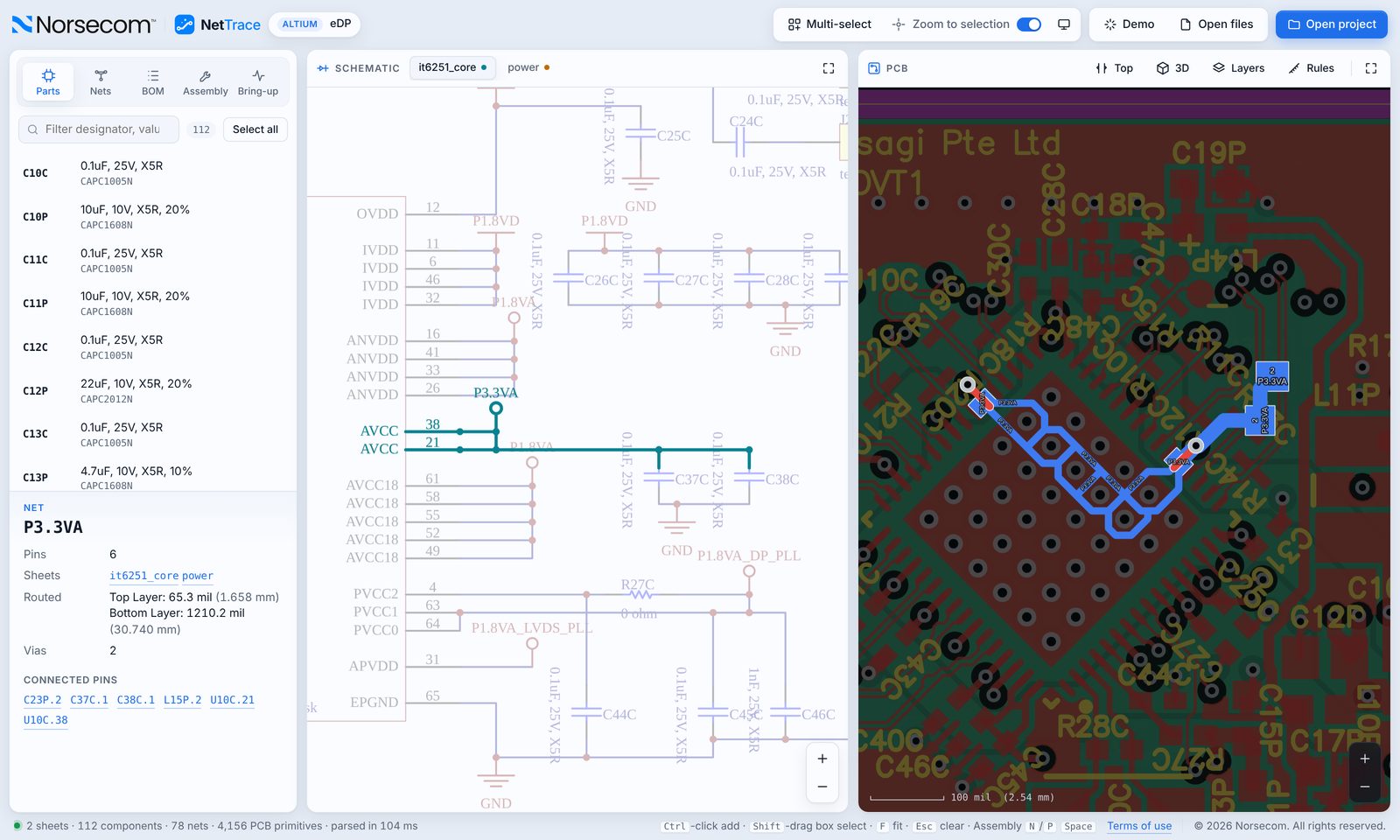
Schematic ↔ PCB cross-probing
Click a net, part or pin in either view and NetTrace highlights it in both, on the right sheet and the right side of the board.
Whole project, not single files
Open the .PrjPcb and every sheet and the board listed in it load together, in project order.
3D board view
See the assembled board with the STEP models embedded in the PcbDoc or in your .PcbLib / .IntLib libraries.
Rules and net classes
Clearance, width and via rules and net classes are read from the board, so reviewers see the constraints too.
Files it opens
- .PrjPcb project
- .SchDoc schematic sheets
- .PcbDoc board
- .PcbLib / .IntLib for 3D models
How it works
- Create a free account at nettrace.org.
- Open your project: pick the project folder or drop the files on the window.
- Trace, assemble and bring up your board, and export a PDF report when you are done.
Questions
Do I need Altium Designer installed?
No. NetTrace reads the Altium files itself and runs in any modern browser: Chrome, Edge, Firefox or Safari.
Are my Altium files uploaded?
No. The project is opened and processed only inside your own browser. Norsecom never receives, stores or sees your design files.
Is it really free?
Yes. NetTrace is free for individuals and teams of any size, including commercial work.
Try NetTrace on your own design
Altium, KiCad 6–9 and Cadence OrCAD / Allegro, in one viewer. More ECAD tools are coming soon.
Open NetTrace free