


KiCad schematic and PCB viewer, online
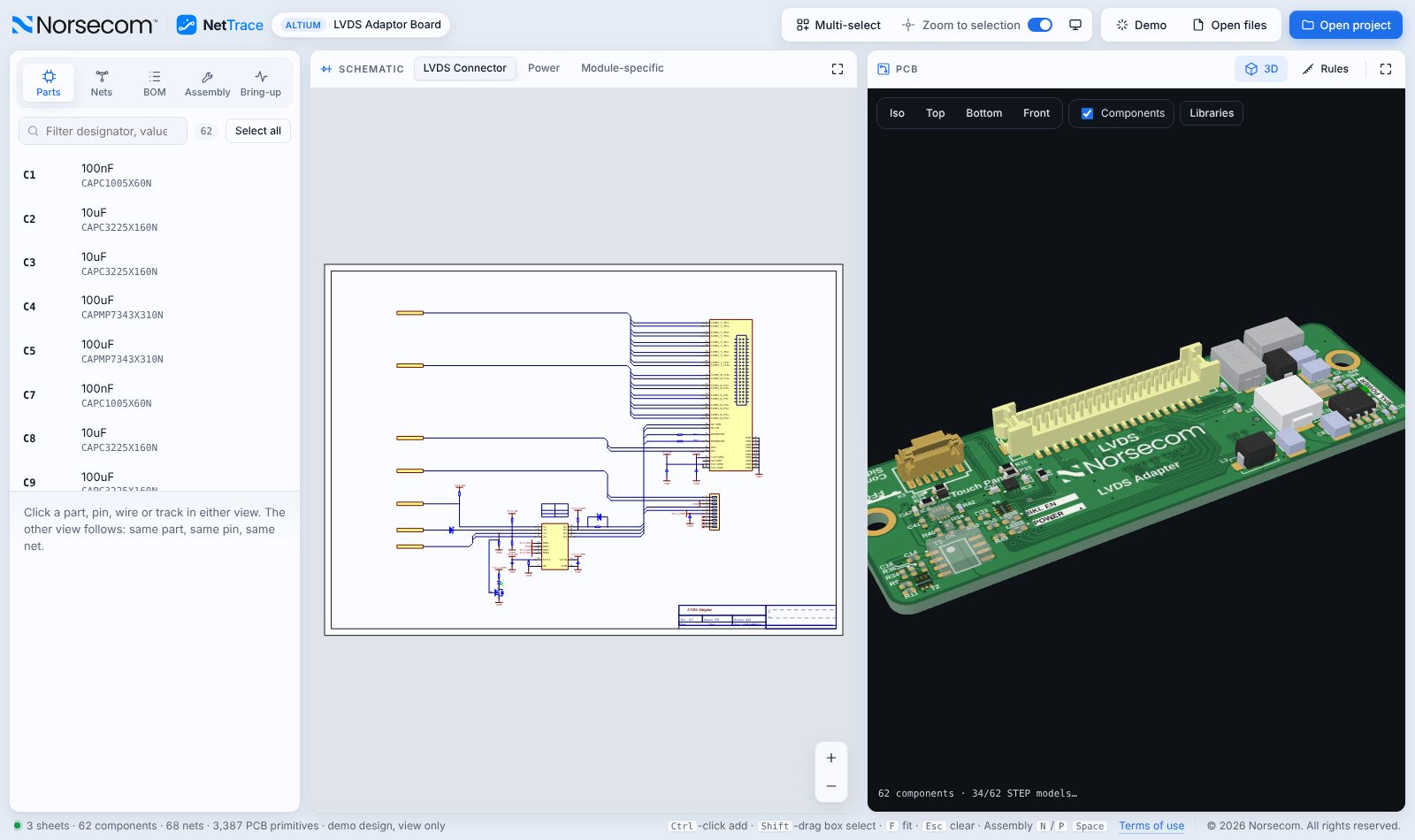
Share a KiCad design with someone who does not run KiCad, or review it on any computer. Open the project folder and NetTrace shows the sheets, the board and the 3D model, linked together.
Create a free account▶ Watch the 90-second demoSign in
Free for teams of any size · Runs in your browser · Your designs are never uploaded
KiCad 6, 7, 8 and 9
Reads .kicad_pro, .kicad_sch and .kicad_pcb files, including hierarchical sheets and the drawing sheet from your project.
Cross-probing
Select a net, part or pin in the schematic and see it on the board, and the other way round.
3D with your STEP models
STEP files in the project folder are matched to the footprints automatically.
Custom rules
Net classes and .kicad_dru design rules are shown next to the nets they apply to.
Files it opens
- .kicad_pro project
- .kicad_sch sheets
- .kicad_pcb board
- .kicad_dru rules
- .step / .stp 3D models
How it works
- Create a free account at nettrace.org.
- Open your project: pick the project folder or drop the files on the window.
- Trace, assemble and bring up your board, and export a PDF report when you are done.
Questions
Which KiCad versions are supported?
Projects saved in KiCad 6, 7, 8 and 9.
Can I send a KiCad design to someone without KiCad?
Yes. They open the project folder in NetTrace in their browser, with nothing to install.
Where are my files processed?
Only inside your browser. Nothing is uploaded.
Try NetTrace on your own design
Altium, KiCad 6–9 and Cadence OrCAD / Allegro, in one viewer. More ECAD tools are coming soon.
Open NetTrace free